
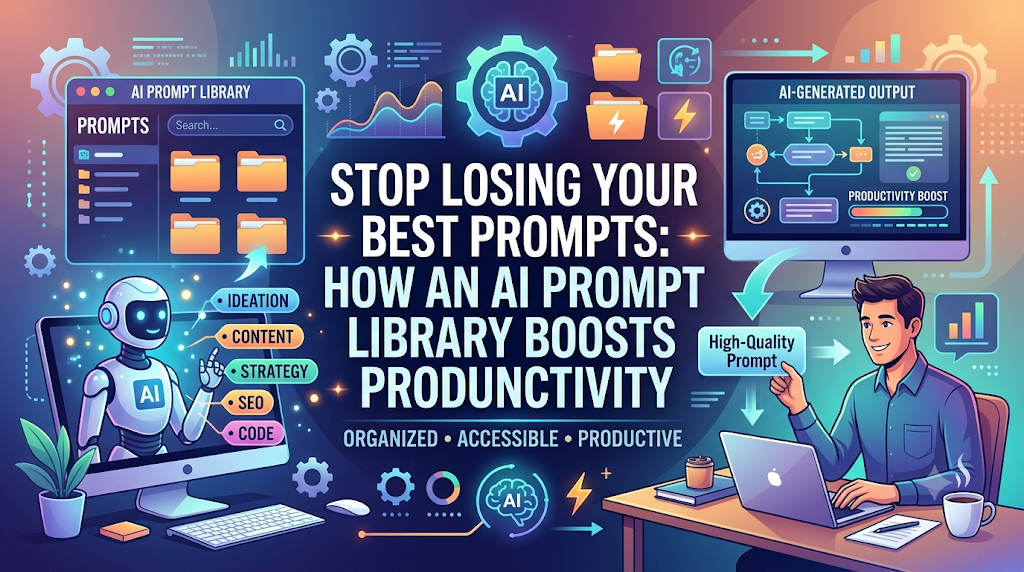
Introduction: Understanding Promptosia and AI Prompt Management
If you use artificial intelligence every day, you probably know the feeling of finding a prompt that gives you the exact answer you wanted. You paste it into a chat window, get an amazing result, and move on with your day. But what happens next week when you need that same high-quality result again?
Promptosia is a modern AI prompt management tool designed to help creators, developers, professionals, and teams organize, improve, manage, and share their valuable AI instructions. Created to solve the frustration of lost ideas and inconsistent AI answers, it gives anyone using artificial intelligence a central home for their prompt collection. Instead of treating your instructions as temporary messages that disappear down a chat log, Promptosia works as a full-scale prompt engineering platform that supports your entire workflow—from your first quick draft to testing, refining, and sharing your best prompts with others.
What Is an AI Prompt Management Tool?
An AI prompt is simply the set of instructions, questions, or context you give to an artificial intelligence model to get a specific output. As people use AI for more parts of their work—like writing emails, coding software, summarizing research, or drafting marketing campaigns—they naturally create hundreds of different prompts.
Managing these prompts manually quickly becomes messy. Without a proper structure, you lose time hunting down old prompts or settling for mediocre AI outputs because you didn’t reuse your best instructions.
An AI prompt management tool acts as a central workspace for all your artificial intelligence instructions. It allows you to save your best setups, categorize them, refine how they are phrased, and pull them up in seconds whenever you need them.
Why Building an AI Prompt Library Is Important
When you find a prompt that works really well, that prompt becomes a digital asset. It saves you time and delivers consistent, high-quality answers. But if that prompt remains buried in an old chat session, its value is practically lost.
Building an AI prompt library gives you several immediate advantages:
- No More Lost Work: Every effective instruction you build is safely stored in one central database.
- Instant Retrieval: You can search, filter, and find the exact prompt you need in seconds rather than minutes.
- Consistent Quality: Reusing proven prompts ensures your reports, code snippets, or articles maintain a high level of quality every single time.
- Higher Productivity: You spend less time typing out long context descriptions from scratch and more time getting actual work done.
How Promptosia Works as a Prompt Engineering Platform
Prompt engineering is not just about writing a quick query; it is the practice of crafting, testing, and refining instructions to guide AI tools toward the precise result you want.
Promptosia functions as a comprehensive prompt engineering platform by guiding you through every stage of a prompt’s life cycle:
[Create Prompt] ➔ [Organize & Tag] ➔ [Optimize & Analyze] ➔ [Test & Compare] ➔ [Version & Share]
By supporting this complete cycle, the platform transforms prompt creation from a trial-and-error guessing game into a structured, reliable process that consistently yields top-tier results.
Organizing Prompts With AI Prompt Organizer
When you have dozens or hundreds of prompts, keeping them neatly structured is essential. Promptosia includes a dedicated AI prompt organizer that keeps your collection orderly and easy to browse.
With flexible organizational features, you can:
- Group prompts by project, client, or topic (e.g., Writing, Coding, Research, Marketing).
- Tag prompts with keywords for instant search filtering.
- Set up customizable variables (like
{topic}or{target_audience}) so you can fill in specific details right before running a prompt. - Separate personal prompts from shared team assets.
Improving Instructions With AI Prompt Optimizer
A vague prompt usually leads to a vague answer. If you ask an AI to “write a blog post about coffee,” you will get a generic response. But if you give it role context, target demographics, structure guidelines, and tone preferences, the output improves dramatically.
The AI prompt optimizer helps you upgrade basic ideas into rich, effective instructions. It offers suggestions to clarify your goal, add necessary context, and structure your text so the AI model understands exactly what you expect. This helps you move from basic questions to reusable, high-performing prompts without needing to be a technical expert.
Understanding Prompts With AI Prompt Analyzer
Before you rely on a prompt for critical tasks, it helps to understand how well it is put together. An AI prompt analyzer examines the underlying structure of your text to identify weak points.
It reviews key elements such as:
- Goal Clarity: Is the core instruction clear and unambiguous?
- Context Sufficiency: Did you provide enough background details for the AI to work with?
- Tone & Style Constraints: Are output preferences clearly defined?
- Variable Formatting: Are dynamic fields correctly structured for easy updates?
This systematic analysis helps you catch missing details before you run the prompt, saving you time and API credits.
Checking Prompt Quality Before Use
Using a dedicated prompt quality checker helps ensure your instructions are balanced, safe, and ready for production use.
Quality checking evaluates your prompt across four main criteria:
- Clarity: Eliminating confusing phrases or conflicting instructions.
- Structure: Ensuring logical flow and clear formatting boundaries.
- Usability: Checking that variables are easy for anyone on your team to fill out.
- Safety & Policy: Verifying that the prompt adheres to standard output guidelines and avoids triggering unnecessary AI content blocks.
Checking these factors ahead of time ensures that your AI tools generate useful, reliable outputs right from the first attempt.
Managing Prompt Improvements With Version Control
As your projects evolve, your prompts will evolve too. You might adjust a tone setting, add a new constraint, or refine your output formatting. However, an edit that works great for one project might break something that worked perfectly before.
Using a prompt version control tool allows you to track every iteration of your instructions. You can view past versions, see what changes were made over time, compare performance between drafts, and roll back to a previous design whenever needed. This historical record keeps your prompt development safe and experiment-friendly.
Testing Different Prompt Results
Two prompts that look similar on paper can produce noticeably different answers from an AI. To find out which version performs best, you need to compare their outputs directly.
An AI prompt testing tool lets you run different prompt variations side-by-side against identical inputs. By comparing the resulting outputs, you can make objective decisions based on real results rather than guesswork. This direct comparison is the fastest way to refine your prompts for accuracy, tone, and overall quality.
Reusing Successful Prompts With Templates
Once you have crafted, optimized, and tested a prompt, you shouldn’t have to rebuild it for future tasks. Turning your best prompts into reusable AI prompt templates allows you to standardise your daily operations.
Templates leave dynamic placeholders for variables—such as product names, target dates, or customer profiles—while keeping the core instructions intact. Whenever a new task comes up, you simply fill in the blanks and run the prompt. This creates a repeatable workflow that delivers consistent quality while saving significant effort.
Promptosia Features Comparison Table
Here is a quick look at how the main features inside Promptosia help you manage your prompt collection:
| Feature | What It Does | Benefit |
|---|---|---|
| AI Prompt Library | Stores useful prompts in one secure central location | Easy access, search, and reuse across all your devices |
| Prompt Organizer | Categorizes prompts with tags, folders, and custom variables | Keeps your workspace tidy and stops assets from getting lost |
| Prompt Optimizer | Refines simple instructions into rich, detailed prompts | Delivers far better and more accurate AI responses |
| Prompt Analyzer | Reviews the structural setup of your prompt text | Identifies missing context and improvement areas quickly |
| Quality Checker | Evaluates overall effectiveness, safety, and readability | Ensures your prompts are complete and ready to execute |
| Version Control | Saves full edit histories and revision points | Protects working prompts and lets you track improvements |
| Prompt Testing | Compares outputs from different prompt versions | Helps you select the best performing option objectively |
| Templates | Converts proven prompts into variable-based templates | Speeds up routine tasks and standardizes team output |
Who Can Use Promptosia?
Because artificial intelligence is used across almost every modern industry, an organized prompt management system offers clear benefits for many different roles:
Content Creators
Writers, bloggers, video creators, and social media managers can save their best brainstorming frameworks, outline generators, and editing prompts. Reusing proven setups helps maintain a consistent brand voice across all published content.
Developers
Programmers and tech leads can store complex code generation prompts, documentation templates, code review checklists, and debugging instructions, making technical workflows faster and less error-prone.
Marketers
Marketing professionals can build reusable templates for ad copy, email campaigns, landing page headlines, and audience persona research, allowing them to launch campaigns more efficiently.
Businesses and Teams
Companies can build shared internal prompt libraries. This ensures everyone on the team uses vetted, high-performing instructions, which keeps client communications and internal outputs aligned with company standards.
Students and Researchers
Academics, analysts, and students can organize study guides, literature review prompts, summary frameworks, and data extraction instructions to streamline their research projects.
Benefits of Using Promptosia
Adopting a dedicated prompt management tool brings structure to your AI workflows. Key benefits include:
- Saves Time: Eliminate minutes spent searching through old chat windows or rewriting instructions from scratch.
- Keeps Prompts Organized: Maintain a clean workspace with folders, tags, and quick search tools.
- Improves Output Quality: Well-structured and optimized prompts consistently yield superior AI responses.
- Helps Teamwork: Share successful prompts easily across your entire team or organization.
- Makes Work Reusable: Turn one-off successes into permanent, standardized templates.
- Reduces Repeated Work: Avoid solving the same prompt engineering challenges over and over again.
- Creates Better AI Workflows: Build end-to-end processes that integrate AI seamlessly into your day-to-day operations.
Common Problems Without Prompt Management
Without an organized system for your prompts, you will likely encounter several common roadblocks:
- Losing Valuable Prompts: A prompt that generated a fantastic result yesterday gets buried under dozens of new chat conversations and is lost forever.
- Creating the Same Instructions Repeatedly: You waste time typing out identical context, rules, and formatting instructions every time you start a new chat.
- Not Tracking Improvements: You tweak a prompt to fix one minor detail, only to realize later that the edit broke its core functionality, with no way to restore the original version.
- Getting Inconsistent AI Results: Randomly phrased questions yield unpredictable answers, forcing you to spend extra time editing the final output.
- Difficulty Sharing Prompts With Teams: Sharing good prompts via messy group chats or unformatted document files makes adoption frustrating for teammates.
Using an organized AI prompt management tool solves these problems by providing a central location to save, refine, test, and share your instructions.
Frequently Asked Questions (FAQs)
What is an AI prompt management tool?
An AI prompt management tool is a application that helps users save, organize, refine, test, and store their AI instructions in one central location. It replaces messy notes and lost chat histories with a structured, searchable workspace.
Why do users need an AI prompt library?
An AI prompt library protects your best instructions from getting lost. Storing your proven prompts in a central library allows you to reuse high-performing instructions instantly, saving time and ensuring consistent quality across all your AI tasks.
How does Promptosia help organize prompts?
Promptosia helps organize prompts by letting you group them into custom categories, assign tags, add search terms, and build reusable templates with flexible variables. This makes finding the right prompt fast and effortless.
What is a prompt engineering platform?
A prompt engineering platform is a set of tools designed to support the entire lifecycle of an AI prompt. It offers features for creating, optimizing, analyzing, versioning, testing, and sharing prompts to ensure you get the best possible results from AI models.
How does an AI prompt optimizer improve prompts?
An AI prompt optimizer analyzes simple or vague user requests and suggests improvements—such as clearer context, defined roles, structural boundaries, and tone preferences—making the final output from the AI much more precise and useful.
What does an AI prompt analyzer check?
An AI prompt analyzer checks the overall quality and balance of your prompt. It reviews goal clarity, context sufficiency, formatting rules, variable setups, and output constraints to spot weaknesses before you run the instruction.
Why is prompt version control important?
Prompt version control keeps a full record of changes made to your prompts over time. If a new edit leads to worse outputs, version control lets you compare the changes and easily restore a previous, working version.
How do reusable AI prompt templates save time?
Reusable AI prompt templates preserve the core structure and context of a proven prompt while leaving dynamic blanks for variable information. Instead of rewriting complex instructions, you simply fill in the blanks and run the prompt immediately.
Final Thoughts: Building Better AI Workflows With Organized Prompts
As artificial intelligence becomes a core part of everyday work, the quality of your results depends directly on the quality of your instructions. Writing a great prompt takes thought and effort—and once you craft one that works well, it deserves to be saved and protected as a valuable tool.
Managing your prompts systematically saves time, eliminates repetitive work, and elevates the consistency of your AI outputs. Whether you are an individual creator looking to streamline your content creation or a team looking to standardize operations, shifting from messy notes to an organized workflow will transform how you interact with artificial intelligence.
By utilizing Promptosia to build, test, and organize your growing collection of AI prompts, you can turn temporary chat messages into lasting digital assets that keep your daily workflows efficient, organized, and effective.

